
Rocket Play Casino Login and Sign Up Process
Starting gaming along with 5,000 activities at our casino is easy. You only need a player account. Kiwis can create their account by providing basic personal data. Once you are through, you can log into your account to access all the features that come with it. Creating an account is an important process. It helps us comply with laws, such as providing casino entertainment to Kiwis of legal age. You need to create your account to get your Rocket Play Casino login credentials. This keeps your personal details and winnings safe.
How to Create an Account for Rocket Play Casino Login
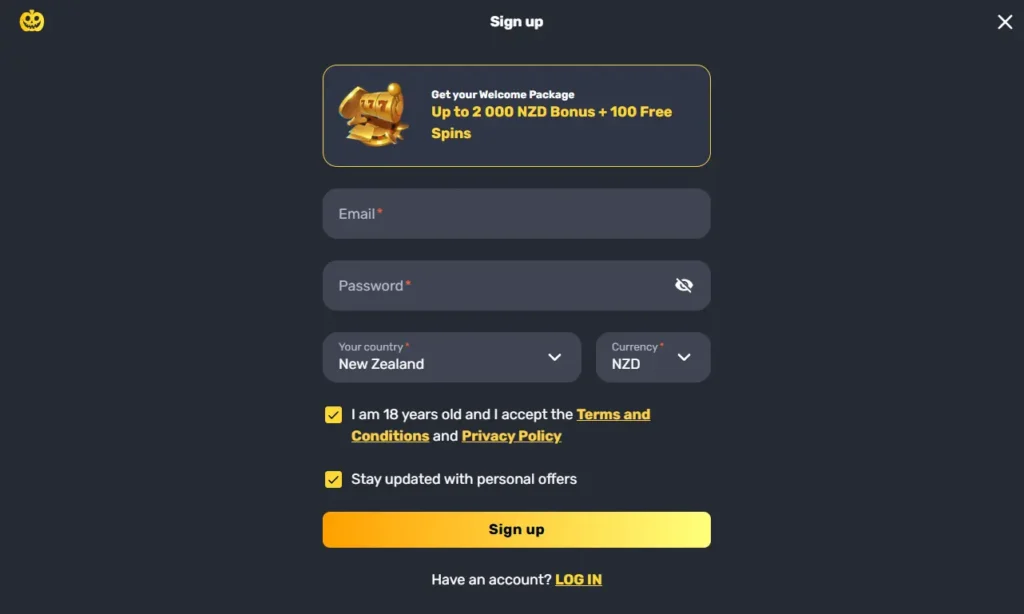
Finishing the sign-up process is the first step to access our products and services. Here are the instructions:
- Open the registration form – At the top of the page, find the sign-up icon and tap it
- Enter your data – Fill in your email and create an 8-character password. While still on the page, choose your country and currency.
- Check the Policies – Tick the box for terms and conditions. You can also tick the one personal promo.
- Complete the registration – Click the sign-up button next to RocketPlay Casino sign in. You will get another form where you can fill in your name, address and phone number.
Requirements for Sign Up
Kiwis who want to join our platform must meet several requirements. One of these is legal age. New Zealand gaming laws require residents to be 18 or older to participate in casino activities. As a platform that abides by these laws, we will require a document proving that you are truly eligible to play on our site.
Users need valid documents before signing up. We will ask for your ID card, utility bill and proof of payment. The details on these documents should match. Players cannot use details of their friends or family to bypass the Rocket Play Casino log in or registration, as this is a violation of our terms.
Casino Account Verification
Account verification is a process that helps us maintain the security of New Zealand players. Once you are done with the registration, we will give you access to all features except withdrawal. Thus, you need to verify your identity before your first withdrawal.
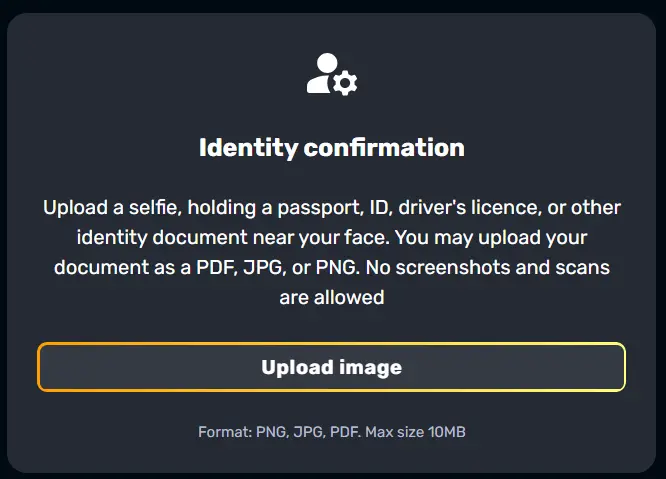
Simply enter your account via the login window and go to your profile. Find the verification tab and open. You will find verification prompts.
Players need to upload documents like a driver’s license and ID card to prove their identity and age. You can upload a utility bill that is not older than 3 months to prove your address for RocketPlay Casino login. We also need a document or screenshot to verify your payment method. Submit the documents, and we will complete the verification in 48 hours.
RocketPlay Casino Sign In Process
Once you complete the registration, you can use the registered details to sign in. The process is uncomplicated. You need a username and a password.
Open the login form. You will see fields where you can type in your email and password. The credentials should match what you provided while signing up. Our systems will compare the details and give you access to your account.

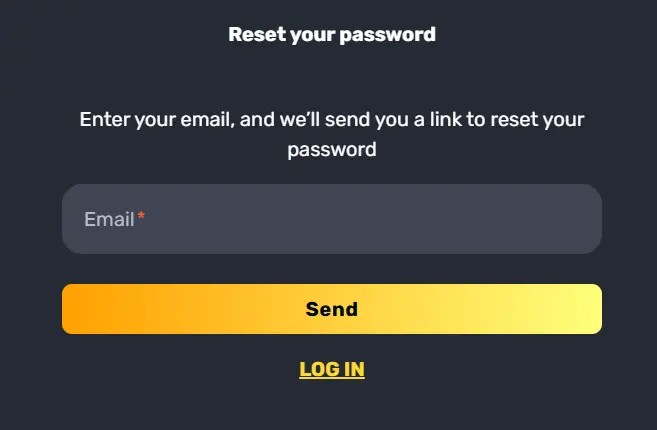
If you are unable to sign in because you cannot remember your password, click the “Forgot password” link for Rocket Play Casino sign in. Open your email and find our link for password recovery. Create your new password.
Login via Mobile App
Kiwis can use a fully optimised mobile version when they sign up or log in on their phones. Joining our gaming platform is easy. Ensure you have the Progressive Website Application downloaded on your Android or iOS device.
You can open the app just like you do to any other software on your phone. There is a login button next to the sign up icon. Open the form and enter your email and password. This will give you instant access to your account if you already have one. You only need one account, whether you are using a phone, tablet or desktop for RocketPlay login.
Personal Details
We handle your details in an ethical and transparent manner. When completing the registration, you share confidential data like your name and address. You share more personal data during identity verification. We know that you trust us with your information and strive to keep it that way by protecting it.
Personal details are saved in a secure server. We have TLS encryption to protect your information. Only a few employees can access this data. However, they must follow data safety guidelines, including accessing your data only when necessary and using it for the right reasons, like customising a bonus or verifying your account after RocketPlay Casino log in.
Possible Rocket Play Casino Log In Issues for New Players
Login issues may occur for several reasons. While these issues are uncommon, they are not entirely impossible.
| Possible Issue | How to Manage |
|---|---|
| Incorrect Credentials | It could be a missed letter or character. This is easily resolved by checking your data before hitting the login button. |
| Forgotten Password | When that happens to you, you don’t need to complete another sign-up process. Instead, use the Forgot Password link on the login window to create a new password. |
| Outdated Browsers and Cache | Download the latest version of your browser or use a different one. Caches and Cookies can also interfere with the Rocket Play login in process. |
The casino may block you from accessing your account for violating the terms. Talk to an agent to find out if you can regain access.
How to Delete an Account
Users can delete their accounts easily and quickly. We support your decision to close your account by providing simple prompts. Start by joining your account through the login form. Choose your preferred communication channel, that is live chat or email, and send your request to close your account. An agent will process your request and delete your account and save information within 7 days. The other alternative is to go to the responsible gaming page with RocketPlay sign in. Here you will find the self-exclusion tool. Choose the period you want to take a break from your account. We will keep your account closed, and you won’t be able to log in during this period. Once we delete your account permanently, you will need to follow the registration steps again to regain access to our platform.